
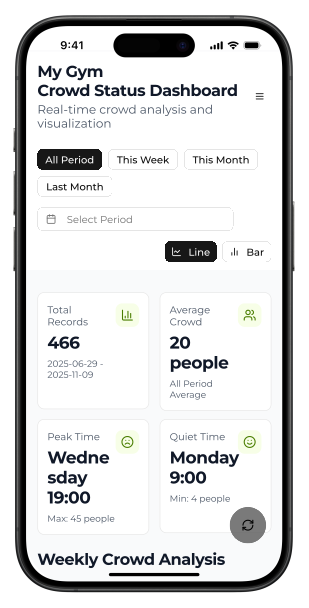
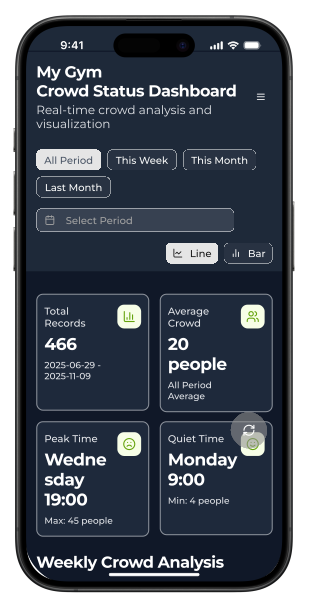
Total Records
...
Loading...
Average Crowd
...
All Period Average
Peak Time
...
Loading...
Quiet Time
...
Loading...
Gym Crowd Status Dashboard
Finding the best time to go to the gym
June 2025 - November 2025
UI, Context Engineering, CI/CD
Personal Project
Web Dashboard
TL;DR
Problem
Unpredictable gym crowd patterns made scheduling difficult.
Solution
Automated data pipeline with 80% OCR accuracy and 99.1% uptime.
Key Results
Overview
My 24-hour gym had unpredictable crowd conditions, making it impossible to plan efficient training schedules. Particularly during evening hours, long wait times prevented effective use of limited exercise time. This project built a system that optimizes gym usage through a data-driven approach.
I was consistently responsible for the entire system architecture design, implementation, and operation, demonstrating practical skills in creative problem-solving under constrained environments and integration of multiple technical domains.
System flow
The diagram is the visualization for the flow of this project:
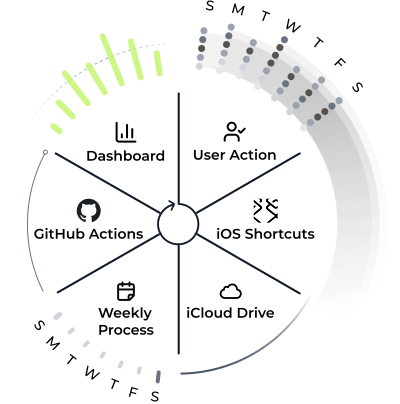
The system flow
Each component represents a stage in the automated data collection process.

User Action ↔ Weekly Process
Seven bars and dots represent each day of the week. Weekly update runs on Sunday
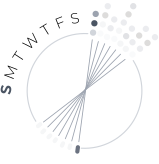
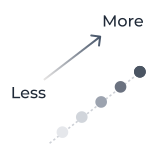
Number of people
The shade intensity represents how many people were using the gym at the time
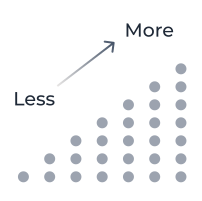
Number of data points
The number of dots represents how many data points were taken
- Collected Data Points: 354 (as of October 2025)
- OCR Processing Success Rate: 80% (Tesseract + OpenCV preprocessing)
- System Uptime: 99.1%
Design Process
In designing a complex system that integrates multiple technical domains, I adopted a phased approach. I proceeded systematically from personal problem-solving through understanding technical constraints to implementation.
1. Problem Analysis & Requirements Definition
Analysis of gym user behavior patterns and identification of pain points. Investigation of technical constraints (iOS automation limitations, OCR accuracy constraints) and feasibility assessment.
2. System Design & Prototyping
Distributed system design for iOS → iCloud → GitHub Actions → Vercel. End-to-end design from screenshot acquisition to dashboard display.
3. Implementation, Validation & Improvement
OCR accuracy optimization through image preprocessing. Resolution of synchronization issues between 4 platforms and UX optimization.
Solution
Smart Data Collection System
My gym's dedicated app is only accessible through a closed iOS app with no web version, making complete automation technically impossible. Therefore, I designed a "context-aware semi-automation" system that achieved sustainable data collection integrated into my natural behavior flow.
Initially, I configured Apple Shortcut to perform OCR within Automation and extract time, number of people, and crowd labels, but text corruption and unwanted text extraction occurred. Therefore, I changed the design to specialize Apple Shortcut for screenshot capturing and saving to iCloud Drive with datetime filenames, while performing OCR processing on the GitHub Actions side.
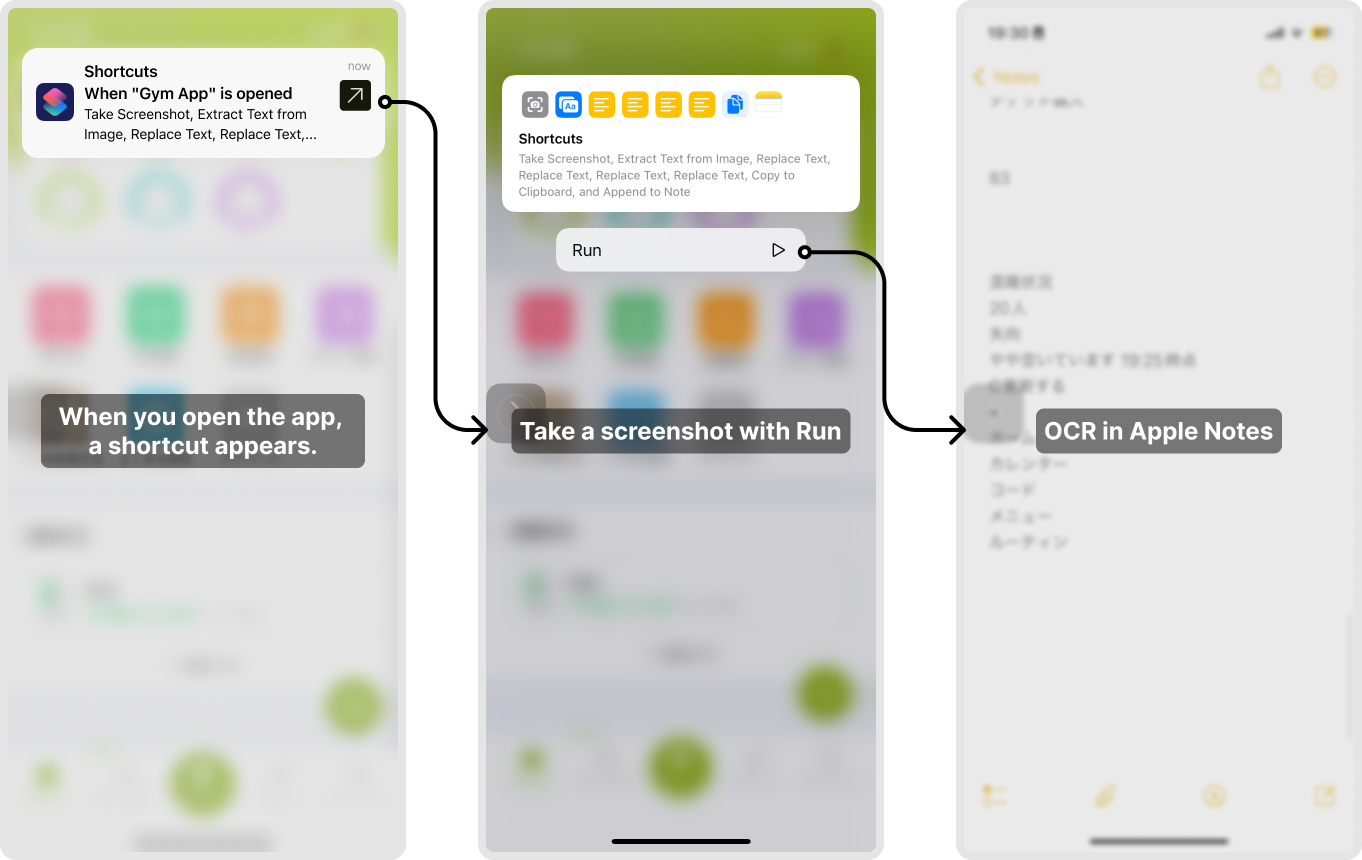
Initial design
High-Accuracy OCR Processing Engine
OpenCVI implemented 3-stage image preprocessing using OpenCV:
cv2.cvtColorGrayscale Conversion (cv2.cvtColor) - Convert color images to a more processable formatcv2.fastNlMeansDenoisingNoise Removal (cv2.fastNlMeansDenoising) - Effectively remove image noisecv2.createCLAHEAdaptive Contrast Enhancement (cv2.createCLAHE) - Clarify character outlines
Currently, I use Tesseract OCR as the main engine with Japanese and English support (jpn+eng), and EasyOCR is disabled for performance optimization. I have accumulated 354 data points and built a stable data collection pipeline.
CI/CD Infrastructure
After 7 failures with GitHub Actions, I achieved initial success on the 8th attempt. The main failure causes and resolution process are as follows.
Failure History:
- Run #5:
YAMLsyntax error (HEREDOCmulti-line commit message) - Run #6, #7: Exit Code 100 (
OpenGLlibrary mismatch)
Decisive Fix:
Resolved the issue where the libgl1-mesa-glx package was deprecated in Ubuntu 24.04 environment with a single change to libgl1-mesa-dev, normalizing OpenCV initialization.
2-Stage Synchronization Problem Resolution:
- GitHub Actions side:
OpenGLlibrary compatibility fix launchdLocal side: launchd script Git integration fix
This enabled the hybrid system (local iCloud sync + GitHub Actions processing) to work properly, achieving 99.1% uptime.
Impact & Reflection
Learnings Through the Project
Through this project, I experienced the joy of solving small daily problems with technology. While I initially aimed for complete automation, finding the "right level of automation" with manual operation when launching the gym app was a significant learning.
Technically, I faced an unexpected challenge where BOT commits from GitHub Actions do not trigger Vercel's automatic deployment. In solving this problem, I gained deep understanding of CI/CD pipeline mechanisms and inter-service coordination.
Future Prospects
Currently, data acquisition timing is unstable as it depends on when I remember to do it, so I haven't achieved regular and stable data collection like acquiring data at 0 minutes of every hour. I expect that future AI developments will enable Siri to operate apps, or Shortcuts will evolve to allow more advanced configurations, making more complete automation possible.